Graphic Showroom

Attachments

  • funky-twirly-thing.jpg
    funky-twirly-thing.jpg
    73.7 KB · Views: 278
  • Icy-frame-work2.jpg
    Icy-frame-work2.jpg
    43.5 KB · Views: 287
Thought I'd bring back the ol' matrix thing:

This will probably take a while for us dial-up users to load but there's a very small bonus at the end. If you want Waffles you can put this under my work examples section in my staff profile, it's up to you.
 
exfoliate, could you size down your sig a bit? It's pretty big for a sig, width isn't a problem just the height but it looks damn cool
 
Thanks dude, hows the height now? (I'm assuming you're refering to the icy one, not the matrix one as I'm not using it, even thought it's bigger).
 
My icey using Exfoliates tut

Icey.jpg


Nice tut m8
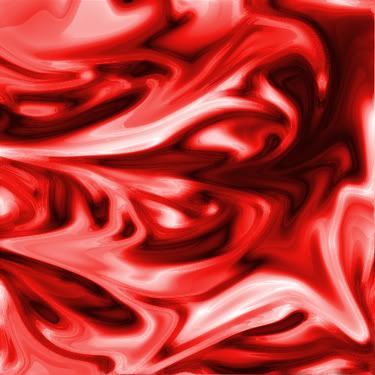
Also I made this mad red thing when fiddling with filters, I think it looks cool

mADrED.jpg
 
Looks awesome Nic, I think it came out much better than mine, the firey one is also very well done up, pretty slick stuff.
 
Yeh sig size is much better - the limit is 600x200 ideally, so your sig is fine now

oh loving the new avatar :D

remember- any new material/tuts/brushes/photos you have, send em in.

I'll have that submission form working tonight, I hope.
 
This took about 3.5-4 hrs. to actually get to work how I wanted but here it is, convincing huh?
awesomesun5dz.gif

Then there's this Devil May Cry thing that's just a little too big to become a sig as much as I want it to be one. It took about 2 hours or so, origionally I didn't have the colors inverted but I think it looks better this way.
32dantestilllooksgood4dj.gif
 
the dante is very, very nice. but yeah its too big for a sig, but just showing off, don't worry about it.

awesome.
 
Thanks you two, glad you like 'em. It really does make a difference when I use some adjustment/fill layers and tweak the layer styles.
 
I appoligize for pretty much (inadvertantly) stealing your idea Waffles but here's something I whipped out a hour ago:
halflife2sig5uz.gif
 
sweeeet....


can i suggest you delete the "black" background layer, so that the sig is transparent there, it would look a lot slicker :)
 
Sure, I'll try that, oh, and HALO is very cool, the color scheme is perfect. How'd you get the border though?
 
Oh, yeah, just got out of bed. Ah, and how do I get the canvas bit to become transparent, use the rectangle tool to select the top bit and make a really low opacity white color?
 
I assume you mean the 'background' layer?

You can either double click it to make it into a normal layer, then grab the rectangle marquee, drag over the white and hit delete.

or you can go File>>New>>and specifiy "transparent background".
 
Back
Top