How to format SATA hard disk?

firefly

Geek Trainee
I have a sata hard disk with a MSI km4m-v motherboard.

The problem is i cannot format it the usual way with the bootable Win XP CD. It says it cannot detect any hard disk or something like that.

I had sent it twice to the shop last time and they told me that I need the floppy disk to format it. I didn't ask how. Now i am miles away from the shop, my warranty from the shop is useless. I tried asking some of my friends but they never dealt with SATA hard disk before so they cannot provide me with any answer.

Can you tell me how step by step to format a SATA hard disk using the bootable CD and the special floppy disk? Do i need to configure the PC before formatting it?

Please help me. Thanks a lot.
 
Boot with the cd, and pay attention to what's written on the monitor.
When Windows starts to load drivers, it will ask you to press F6 if you want to load any other drivers, you do so press F6.

Then it will ask you for your floppy, so you put it in and load the drivers.
After that, the hard drive should be detected.

Make sure the drive is detected by the BIOS because if not, Windows won't be able to detect it either even with the floppy.
 
Yeah make sure the bios is set to search for SATA as well as PATA like mine, my computer crashed a while back and it didnt recognise that i had a HDD, when i checked the bios i found out that it had chenged and was set to only search for PATA and only found my CD and DVDRW drives.
 
how do I confirm my bios is checking for both a pata & sata hard drive. My PC has nothe (came with pata). I accidentally purchased a sata drive, and bought an adapter to convert it to pata. However, I am still having difficulty formatting the hard drive. It will go through all of the motions (spending hours formatting a 750 GB drive), then have an error at the end, stating it cannot format.
 
those adapters can be dodgy, sometimes they work fine & other times you have problems, my advise is to throw it at someone you don't like & get a PCI SATA card & because XP doesn't support SATA HDDs you will need a driver disk that will come with the SATA card or a much better solution would be to slipstream the SATA drivers into your XP CD, then you wouldn't need to retain the driver disc

BTW: here is a "how to" for slipstreaming
 
Thanks for the advice. I've been looking on line, for the card you recommended. Do you know of some specific examples of cards? i don't want to buy the wrong thing again! Am I looking for a SATA RAID card? Please be patient with me, as this is al greek to me.
 
erniek said:
yes, but, does your system have PCIe slot, MSI doesn't say it has PCIe & it also include an IDE port which you don't need, this is a PCI card not a PCIe (PCI express)
emiek said:
Thanks for the advice. I've been looking on line, for the card you recommended. Do you know of some specific examples of cards? i don't want to buy the wrong thing again! Am I looking for a SATA RAID card?
yes & no usually SATA card come with limited RAID controllers but not always
emiek said:
Please be patient with me, as this is al greek to me.
don't worry, we arn't born knowing loadsa crap about computers, we have to learn

Edit: anything else ?
 
never mind....easier w/o the "quick reply". I think they're now attached.

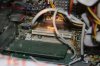
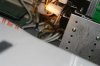
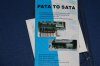
Here are the pics: What kind of board is this? Also shown is the "adapter".
 

Attachments

  • IMG_9593.JPG
    IMG_9593.JPG
    62 KB · Views: 4,083
  • IMG_9594.JPG
    IMG_9594.JPG
    37.9 KB · Views: 3,991
  • IMG_9595.JPG
    IMG_9595.JPG
    59.6 KB · Views: 4,028
erniek said:
I have pics of my board, and the "adapter". How do I attach? It asks for a URL.
well, you can either upload attachments to HWF by scrolling down & clicking "manage attachments"
hwfom0.png

& browse & upload your pics, or i use an online image host like www.imageshack.us and upload a pic and copy the BBCode into the reply box
 
the SATA cable that should come with the drive connect here or you may need to purchase a SATA cable, where the very crude arrow is pointing
313004-21062_F.jpeg

Edit: this card has 1 internal SATA port & 1 external port
 
Naturally, the drive didn't come with the cable. Nice! Something else to buy. Hope like heck it works. On the back of the drive, there is another spot to connect a cable. Is this unused?
 
does it look like this ?
313085-molex.jpeg


if the similar to the image you just connect a molex connector to it (from your PSU)
otherwise, you may want a new PSU or one of these molex to SATA HDD power converters
313086-SATA_Cable.jpeg
or this
313088-SATA.jpeg


BTW: next time, come here (HWF) before you buy something
 
Back
Top