Start up/Shut Down Problems

SexiMexi9018

Geek Trainee
still not sure if this is were i would post this but im gonna give it a shot, my computer is takeing a long time to shut down, and start up...this happended a long time ago after i installed my Dynex 5.1 Sound Card, i just never through anything of it, but it has been getting worse, the other day i think it took like 14 min (no Joke) to shut off, it closes everything down, but sits at the screen that says windows preparing to shutdown or something (the blue screen) and stays there, and it takes forever to start up, it stays at the welcome screen for a while and then gets to the desktop and that takes like another 5-10 min before i can open folders and games and stuff. I was just wondering if there was anyway to make it shutdown faster and/or start faster?
 
Things which I can think of.....
1. Disable Startup and Shutdown sounds.
2. Look at your Start > Run > msconfig > startup, how many processes are starting up when u starts up ur computer....Disables which arent required to u.
3. Update all the drivers like Graphics, Sound, Chipsets etc...
4. Run your antivirus and adware in Safe Mode to check that there is not any virus/adware/trojan issue....
.....................
These are all I can think of atm but will post more if it comes into my mind... Good luck.
 
are the sound drivers installed correctly ?

if you remove the sound card, does bootup and shutdown go faster ?[ot]no matter how many snipers you have i your sig karen, if their not fireing towards dem birds, they won't have any luck on their hunting trip[/ot]
 
Im not sure if they are installed right, but if anyone could give me the link to any updated drivers for a Dynex 5.1 soundcard, or a nVidia GeForce 3 200 because that might not have updated drivers also, thankyou.
 
Im not sure if they are installed right, but if anyone could give me the link to any updated drivers for a Dynex 5.1 soundcard, or a nVidia GeForce 3 200 because that might not have updated drivers also, thankyou.

do you know the exact model of the sound card ?

is this it ?

use this to exactly identfy your grfx, but i think it's a Geforce 3 200 Ti, but i could be wrong

Edit: does the system startup / shutdown quicker with the soundcard removed
 
Dear Seximexi, if u go to the manufacturers website of each of your product then u can get all the latest drivers.... For example, NVIDIA Home for ur graphix card....
[ot]
Dave said:
no matter how many snipers you have i your sig karen, if their not fireing towards dem birds, they won't have any luck on their hunting trip
Actually I've fired them....its just they are practicing by their own. So I dont care whether they hunt down a bird or not.... I might hire them again after sometime....[/ot]
 
Yes,yes... I remember having this kinda issue myself on a computer. The best thing to do is to reinstall the system... :P ...solves all the problems.

But I know how time-consuming it can get, so I'd suggest you try to completely remove the sound card - uninstall the drivers, remove it from the system (through HW manager as well as physically) and see if there aren't any positive results.

Also, you probably should defragment your HD (click here although Windowses native does the trick good enough too) and clean/repair/optimize your registry (Registry Mechanic is a awesome program, but not freeware :( ).
 
well i tried the RM thing and it did not work, i mean it fixed 635 problems that i didn't even know i had, so thankyou for that, but its still not any faster....so i don't know what to do, i guess i will just turn it on and walk away and do the same thing when i turn it off.
 
For startup-
1.remove all unneccessary items in start > programs > startup
2.run AV and adaware/spybot to remove unwanted trojans/spyware
3.open up msconfig and uncheck everything unneeded

For shutdown-
Auto kill tasks
Go to the Start menu and then select Run. In the Run box type in ‘regedit’ and click on OK. Navigate to 'HKEY_CURRENT_USERControl PanelDesktop' and double click on the 'AutoEndTasks'. Change the value to 1 and click on OK.

For both-
start > control panel > administrative tools > services, disable what you want but I usually just go with these:
-Fast user switching (if you don't use it)
-wireless zero config (if you dont have wireless)
-automatic updates
-error reporting

Defragging your hard drive could have an impact as well.

On a side note...If you only have 512MB of RAM and you have a lot of applications installed, I'd invest in a memory upgrade.
 
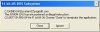
This pops up when i type that in (see attachment)
 

Attachments

  • MS-DOS Error Message.jpg
    MS-DOS Error Message.jpg
    18.4 KB · Views: 183
Hmm not sure why that would come up. If you're up to it I'd run a windows repair and that might sort it out however I'm not 100% positive that it would.
 
ok thanks, i did regedit.exe and it works, i have not tried to see if it makes anything faster yet, but i will try it and post it later.
 
SM said:
ok thanks, i did regedit.exe and it works, i have not tried to see if it makes anything faster yet, but i will try it and post it later.
When was the last time u installed ur windows...?
 
Back
Top