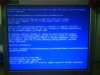
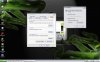
This may help you as a TEMPORARY fix, Right click my computer>properties>advanced>startup and recovery> uncheck all (3) boxes under system failure, then select the dropdown menu under "write debug information", click (none).
Click "ok", you return to the system properties box. On the botton click "error reporting"> Select the "disable error reporting option.>click "ok"
-Close all dialogue boxes-
Go to "start">search> all files/folders> type in minidump.sys, (it is a file not a folder) delete it. [If the search does not come up with any minidump file, thats alright, you can ignore it, as long as the other steps are cpomleted]>Close all open windows.
This should fix your problem. However, it sounds like your RAM is bad. Like I said, this should be a temporary fix, but there is no gurantee that it will work. I don't know what side effects it will have on your system as far as stability goes, if its worst (or if it has no effect), just go back through the steps in reverse and everything should be back to normal, (the minidump file you deleted will automatically be re-created if you reverse the steps above.) good luck. :rolleyes: