DaRuSsIaMaN
Geek Comrade
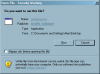
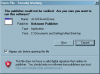
I attached a screenshot of it below (the first one). Whenever I double click some kind of installation file that I downloaded from the internet, I get that stupid #*!%(&*!(%* -ing popup! :( This is an issue now with both my laptop and my PC, and it seems to be kind of a recent thing. I've been using WinXP for a while now, and I only remember dealing with this recently, for like a month, perhaps? Oddly, like I said, it's started doing this on both my laptop and on my desktop. Was it introduced with one of the updates in Windows Update??
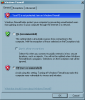
I do have the WinXP firewall disabled, as can be seen in the second screenshot I posted. But that window has the same icon, which makes me think it's somehow connected to the Win firewall....
So, how do I turn it off so it never comes up again?? Help would be greatly appreciated.
I do have the WinXP firewall disabled, as can be seen in the second screenshot I posted. But that window has the same icon, which makes me think it's somehow connected to the Win firewall....
So, how do I turn it off so it never comes up again?? Help would be greatly appreciated.