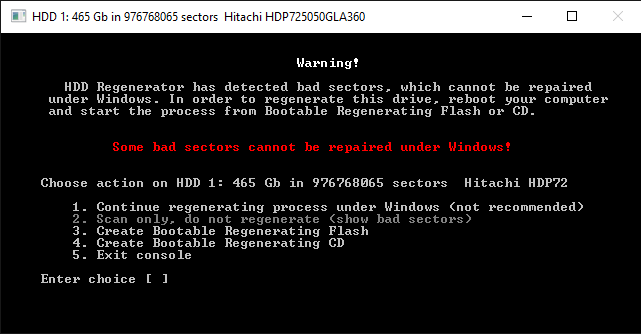
Several times a day my computer will force a restart, displaying many different error messages.
The most common ones being;
MEMORY_MANAGEMENT
IRQL_NOT_LESS_OR_EQUAL
and others which have occured;
PAGE_FAULT_IN_NONPAGED_AREA
POOL_CORRUPTION_IN_FILE_AREA
SYSTEM_SERVICE_EXCEPTION(win32Kfullsys)
SESSION2_INITIALIZATION_FAILED
FAULTY_HARDWARE_CORRUPTED_PAGE
KERNAL_SECURITY_CHECK_FAILURE
BAD_POOL_HEADER
REFERENCE_BY_POINTER
Occasionally when I boot up my computer, it will state that it is scanning and repairing Drive (C:)
It has done this two or three times.
I originally thought it was the RAM that was the issue, however due to that scan, and that memtest did not pick up anything, I think it is a Hard Drive problem.
I’m using Avast (Free) as an Anti-Virus, and it hasn’t found anything suspicious.
Current hardware;
AsusTek M3N78-VM (DDR2)
AMD Phenom II X4 955 3.2GHz
4x2GB RAM DDR2
NVidia GeForce GTX650
Anything I can do to fix this issue?