No, still writing from my windows disk…
Anyways, I hope you can help me out.
please conceder the following instructions:
unzip SpeedTouch330_firmware_3012.zip &&
chmod +x firmware-extractor &&
./firmware-extractor ZZZL_3.012
[COLOR=“Red”]Please ignore number one! I did not realise I was omitting the ./ part, What an idiot!!!
I have been running it but it keeps telling me that ‘firmware-extractor’ is not a known command. So what it does is, it unpacks the zip file, makes sure that the binary file ‘firmware-extractor’ is e[SIZE=“4”]X[/SIZE]ecutable and then tells me it does not know the command. So How do I run this binarry file?
I have found an actual installer to install my Speedtouch modem.
It starts running but fails as it has no permission to create folders in the /usr directory. I understand this but when I try to run the installer from a terminal as root again as with question 1, it does not recognise the file name as a command to run the file. So, what am I doing wrong? I can make sure that the /usr directory belongs to me for the installation but what happens after when I change the ownership back to root? will the program run correctly when I do not have the ownership of the containing folders and deirectories?
[QUOTE=sabashuali]
…It starts running but fails as it has no permission to create folders in the /usr directory. I understand this but when I try to run the installer from a terminal as root again as with question 1, it does not recognise the file name as a command to run the file. So, what am I doing wrong? I can make sure that the /usr directory belongs to me for the installation but what happens after when I change the ownership back to root? will the program run correctly when I do not have the ownership of the containing folders and deirectories?..
[/QUOTE]
The problem is that you are confused about directory structures. Think of logging into a shell as ‘being somewhere’ on your system. When you first log in, you are ‘home’. For a normal user, this is /home/$USER … but for the root user, this is /root … perhaps that is where you’re getting messed up? The command su - root actually logs you in as root, which drops you in /root …so if you wanted to work with a file called $FILENAME in /home/$USER, you wouldn’t just be able to type ./$FILENAME – that file is not in the same directory as you. Instead, you’d have to move your presence to that directory to work on it with the cd (Change Directory) command. For instance, cd /home/$USER…understand?
All the best,
-AT
P.S. - It would definately benefit you greatly to read this page. It will help you better understand Linux, and operating systems in general. (But feel free to skip section 4.2 Error Messages)
[QUOTE=Addis]
…Btw what methods of install did you use? urpmi/compile etc?
[/QUOTE]
He’s using Ubuntu, not Mandriva so it’d be apt-get… actually. Plus, Mandriva includes the USB Speedtouch drivers in its kernel, so he wouldn’t have even had to mess with it at all on that distro.
Long time no posting…
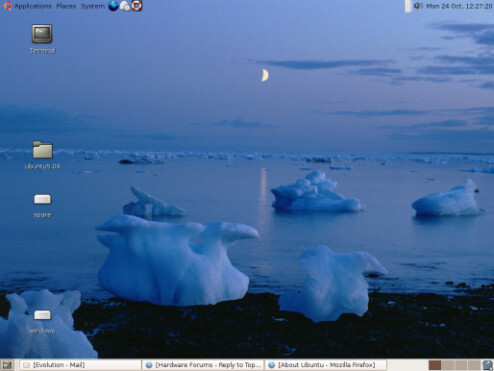
I am still here with my Ubuntu and so far so good.
I am having a problem with my Totem player though.
I have posted on the Ubuntu forum so hopefuly they will be able to help.
If not I will be back!
AT, sorry for doubting and thanks for all the help!
Well… totem isn’t very good anyways. If I were you, I’d give Mplayer a try. With Myplayer, if you apt-get mozplugger and mplayerplugin, you can play movies in your browser. It is a great video player. If you get the chance, give it a shot.
I would like to get Mplayer but so far it is a really lengthy proccess to build it.
Not to mention slightly bit incoherant…
I am still trying.
I just do not understand why there is no way of telling Totem that he has got the codecs… Go figure…
[/QUOTE]
Why would you want to build it from source? Just install it with apt-get or Ubuntu’s package manager (aka Synaptic).
To AVI and MPG files - cannot find codecs.
To DVD - Could not detrmine type of stream, or “Element doesn’t implement handling of this stream. Please file a bug.”
You know how to install software in Ubuntu, right? You don’t have to download software from its respective website, e.g. http://www.mplayerhq.hu/homepage/design7/news.html … instead, you just open your package manager and choose mplayer from a list. Same goes with codecs, etc. Some advanced users prefer to build their software from source, but there is typically a good reason for that decision. In your case, you are new to Linux and you should be utilizing your distros package manager. The reasons for this are that software installation by this method is even easier than on Windows or Mac OS, shortcuts/icons are automatically setup for you, dependancies are taken care of behind the scenes, and the software can be updated automatically.
I don’t think your GTK errors are anything to worry about. GTK is just the graphics framework for the synaptic window, nothing to do with anything really important in that case.
To get the full set of software that Ubuntu has available, you will need to set up certain additional software repositories that are disabled by default.
Thanks for the help.
I did uncommented all the lines in my sources list and added the repositories from your links. So far I have had a few more packages which I will try shortly.
Hopefully they will work.
Got VLC through one of the repositories and I can watch movies now.
Not sure the extent of format coverage but I am not worried… hey, I have AT!
Only jesting!
Again AT many thanks for the guidance.
Oh, by the way… you would not beleive it.
The wife doesn’t mind the change so much…
Hell! I might never have to visit my Windows installation again!!!
I know I had my doubts and I know getting the modem to work was a bit of a struggle but all-in-all the change was not really that bad! My surfing speed is abit quicker as well… or maybe it is just me :ff:


 Go figure…