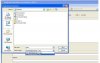
ISO Files

Startup your burning software, choose datacd or datadvd. Add the data, select the burning device Image writer, and click on burn. Now choose where to save the file.
 
No burning rom is good. Choose CD-ROM . Now in the menu bar, go to recorder > choose recorder > Image recorder. Now add the files that you want in the iso file to the compilation. Then click on Burn. Now click on Burn again. Then choose where you want to save the iso file (added as attachment in this post). Make sure to select ISO file at save as type
 

Attachments

  • iso.JPG
    iso.JPG
    56.3 KB · Views: 139
Start nero burning rom, go to recorder > select recorder. Now choose the cd/dvd recorder you wish to use. Then go to file > open and select the iso file. Now click on burn.
 
Back
Top