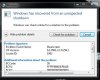
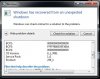
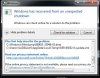
Ok from the title info I would say this is Windows 7 you are using.... ;-)
Locate your minidump, it should be here
C:\WINDOWS\ Minidump\Mini081505-01.dmp
Post the minidump here as an attachment... we would also need the actual Bluescreen error code as the images do not provide the actual error code.
Make sure all cables and wires are secure from the outside to inside and make sure everything is seated correctly and that it hasn't dislodged in anyway as this is possible.
As
wildcard mentioned you should run
memtest86 at least once and also chksdsk too.
[Memtest86]
Check Disk = Start > Type in Search Box >
chkdsk Hit enter
Also check
Event Viewer = Start >Type in Search Box >
eventvwr.msc Hit enter. And look for any error's or descrepencies that may show and let us know what they are.
Also check
Performance Report = Start >Type in Search Box >
perfmon /report Hit enter
This report will include a whole load of things about how your system is running and show any issues, here are just a few of them:
Diagnostic Results Warnings, Performance, Software Configuration, OS Checks, Security Center Information, System Services, Startup Programs
Disk, Hot files, Disk breakdown, Physical disk, NTFS Performance, CPU, Process, Service, Services, System, Hardware Configuration, Disk Checks, Systems, Desktop Rating, BIOS, Devices
Memory, Processes, Counters,Network.
Make sure all Drivers are upto date too by visting the manufacturer website or Vender.
Try switching your RAM about, test them with just one stick of RAM and changing the slots.
At of interest what AV software are you using?? If it is AVG uninstall it and install MSE just to see if this resolves this issue.
We need as much info you can provide as this would enable the guys to figure out the issue more quickly for you ;-)